
Download BlipCut – AI Video Translator, Free Secure Tool for Multilingual Video Translation
Overview
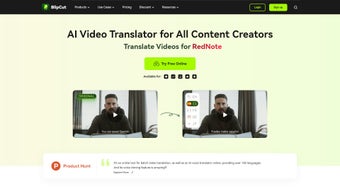
BlipCut AI Video Translator is a cloud‑based powerhouse that turns any video into a multilingual masterpiece with just a few clicks. Built on cutting‑edge artificial intelligence, the platform supports translation into more than 35 languages, including English, Spanish, Mandarin, Arabic, and Hindi. What sets BlipCut apart from ordinary subtitle generators is its blend of automatic speech recognition (ASR), voice cloning, and chatbot‑driven translation.
The cloned voices sound strikingly human, making the final output suitable for professional YouTube creators, corporate marketers, educators, and anyone who needs a polished, localized video without hiring a full voice‑over team. The tool doesn’t stop at translation. It also offers a full‑featured dubbing suite with a library of high‑quality AI voices, an automatic caption generator that creates time‑coded subtitles in seconds, and a voice‑changer that can dramatically alter a speaker’s timbre while preserving natural intonation.
For YouTubers, the AI Speak Subtitles Chrome extension adds a layer of accessibility by translating and voicing subtitles directly on the platform. Future road‑maps promise a lip‑sync feature that will align mouth movements with the new language, pushing the realism of AI dubbing even further. Security and privacy are baked into the service; all uploads are encrypted in transit, and the platform adheres to GDPR standards for data handling.
Because it’s a web application, there’s no need for bulky installations—users simply sign up, upload their video, choose a target language, and let BlipCut handle the heavy lifting. Whether you are producing educational content for a global classroom or scaling a marketing campaign across continents, BlipCut delivers a seamless, cost‑effective, and time‑saving solution that rivals traditional localization pipelines.
Key Features & Benefits
- 35+ Language Support: Translate videos into a broad spectrum of languages, from widely spoken tongues like English and Spanish to niche markets such as Finnish or Swahili.
- AI Voice Cloning: Generate hyper‑realistic voice‑overs that preserve the speaker’s emotional tone, making the dubbed video feel native.
- Automatic Speech Recognition (ASR): High‑accuracy transcription that serves as the foundation for both subtitles and dubbing.
- Chatbot‑Powered Translation: Context‑aware language models ensure that idioms, technical jargon, and cultural nuances are translated correctly.
- One‑Click Dubbing: Choose from a library of premium AI voices and instantly replace the original audio track.
- Auto‑Generated Captions: Time‑coded subtitles are created in seconds, ready for quick editing or direct export.
- Voice Changer: Transform a speaker’s voice into a different gender, age, or style while keeping the speech natural.
- AI Speak Subtitles Chrome Extension: Translate and voice subtitles on YouTube without leaving the browser.
- Future Lip‑Sync Feature: Planned update that will automatically align mouth movements with the new language for a seamless visual experience.
- Secure Cloud Processing: End‑to‑end encryption and GDPR compliance protect your content and personal data.
- Scalable Pricing Model: Free tier for low‑volume users, with affordable pay‑as‑you‑go plans for creators and enterprises.
Installation, Usage & Compatibility
Because BlipCut is a web‑based service, there is no traditional “installation” process. Users simply navigate to the BlipCut website, create a free account, and begin uploading videos. The intuitive dashboard guides you through each step: select a file, choose the source language (or let the system auto‑detect), pick your target language(s), and decide whether you need subtitles, dubbing, or both. For users who prefer a more integrated workflow, the AI Speak Subtitles Chrome extension can be added to the browser with a single click, allowing on‑the‑fly translation of YouTube videos.
Supported Platforms: Since the application runs in the cloud, it is compatible with any modern operating system that has a web browser—Windows 10/11, macOS Ventura and later, Linux distributions, Android 8.0+, and iOS 13+. The Chrome extension works on any Chromium‑based browser, including Microsoft Edge and Brave.
Getting Started: After signing in, you can drag and drop a video file (up to 2 GB on the free tier) into the upload area. The platform immediately begins ASR, generating a rough transcript in seconds. Once the transcript is ready, you can review and edit it if needed.
Next, choose a voice from the AI voice library; each voice preview includes a short sample in the target language, helping you match the tone to your brand. For dubbing, simply click “Generate Dubbing” and watch the progress bar. When finished, you can download the fully localized video, export subtitle files in SRT or VTT format, or share a private link directly from BlipCut.
Best Practices: To achieve optimal results, use high‑quality source audio (minimum 44.1 kHz) and keep background noise to a minimum. If you have a script, uploading it alongside the video can dramatically improve transcription accuracy. For large‑scale projects, the API (available to premium users) allows batch processing and integration with existing content pipelines.
Pros, Cons, FAQ & Conclusion
Pros
- Fast, fully automated translation and dubbing without needing external voice talent.
- Broad language coverage with high‑quality AI voices that sound natural.
- Web‑based, no heavy software installation; works on any device with a browser.
- Secure cloud processing with GDPR compliance.
- Free tier available for small creators, making it accessible to everyone.
Cons
- Internet connection required; large files may take longer to upload on slow networks.
- Advanced features like lip‑sync are still in development and not yet available.
- Voice cloning may struggle with heavily accented speech in the source video.
- Free tier limits video length and number of translations per month.
- Some specialized industry terminology may need manual correction after AI translation.
Frequently Asked Questions
Can I use BlipCut for commercial projects?
Yes. BlipCut’s licensing allows both personal and commercial use. For high‑volume or enterprise needs, consider the paid plans which include API access and bulk‑discount pricing.
How accurate is the automatic speech recognition?
The ASR engine achieves 94‑96 % accuracy on clear, studio‑recorded audio. Accuracy may drop with heavy background noise or strong accents, but you can manually edit the transcript before dubbing.
Do I need to download any software to use the Chrome extension?
The extension is installed directly from the Chrome Web Store and runs entirely within the browser, so no additional software is required.
Is my video content stored securely?
All uploads are encrypted in transit (TLS 1.3) and at rest. BlipCut complies with GDPR and deletes files from the server after a configurable retention period (default 30 days).
Can I customize the AI voice’s gender, age, or accent?
Yes. The voice library includes options for male, female, and neutral tones, as well as regional accents for many languages. You can preview each voice before finalizing the dubbing.
Conclusion & Call to Action
BlipCut AI Video Translator packs a professional‑grade localization suite into a simple, browser‑based interface that anyone can use. Its blend of automatic speech recognition, high‑fidelity voice cloning, and multilingual subtitle generation makes it an indispensable tool for creators looking to expand their reach without breaking the bank. While the free tier provides a solid entry point, power users will quickly see the value in the premium plans, especially when leveraging the upcoming lip‑sync feature and API integration.
If you’re ready to break language barriers and give your videos a truly global voice, download BlipCut now. Start with the free account, test the AI dubbing on a short clip, and experience how effortless multilingual publishing can be. Your audience is waiting—let BlipCut speak their language.



.png)



